• About
  • Privacy & Policy
Cleverall AI, Provides tutorials and resources for educators to harness AI in teaching and learning.
  • Home
  • Tutorials
    Man in a suit relaxes at his desk, smiling at a computer screen displaying a virtual assistant and email icons.

    How to Use AI for Email Management: Reclaim 5 Hours of Your Week with Smart Automation

    Diagram illustrating a 6-step guide for educators using ChatGPT for student assessment: setting objectives, choosing questions, analyzing results, providing feedback, adjusting instruction, and ethical practice.

    ChatGPT for Student Assessment: A Step-by-Step Guide for Educators

    A woman in business attire observes a humanoid robot sorting through a stack of papers in an office setting.

    How Can AI Be Used for Grading Student Papers: A Comprehensive Guide to Automated Assessment

    A robotic arm places books on a conveyor belt in a modern, well-lit room.

    How to Automate Classroom Tasks with AI Tools: A Practical Guide for Teachers

    Person typing on a laptop at a black table with a cup of coffee, a notebook, and a pen, in front of bookshelves.

    Using Grammarly to Improve Student Writing: Enhancing Academic Performance

    Vintage Schaub-Lorenz radio with a red and silver design, featuring buttons and a transparent cover, set in a worn room with peeling paint.

    How to Use AI in Music Education: Exploring Suno, ChatGPT for Lyrics, and More

  • Integration
    A group of people sitting around a table, engaging in a meeting. Laptops and documents are on the table, and a screen displays information in the background.

    The Future of Curriculum Planning: AI-Assisted Content Creation – Transforming Education Through Smart Technology

    An illustration of a brain with "AI" in the center, surrounded by icons of gears, a light bulb, and a microchip, with circuit lines in the background.

    How Can AI Be Used for Critical Thinking: Tools and Strategies for Enhanced Decision Making

    A person is giving a presentation to a group of students in a classroom. Two digital screens display graphics in the background. Students are seated at a table with laptops.

    How to Use AI Responsibly in the Classroom: Best Practices for Educators

    Students sit at desks using tablets in a classroom while a teacher stands near a whiteboard in the background.

    AI Tools for Education: Revolutionizing Teaching and Learning Practices

    A person presents a robotic design on a screen to an audience in a classroom setting. Attendees sit at desks with laptops and tablets.

    AI in Education 2025: The Role of AI Tools in Modern Schools

  • Basics
    A small, smiling robot with antennae sits on a wooden desk near books and a tablet, with green plants in the background.

    Best Tool ChatGPT, Claude, or Gemini for Education: A Comprehensive Comparison for Educators in 2025

    Person sitting at a desk using a computer, smiling, in a sunlit room with posters on the wall and a potted plant nearby.

    The Basics of Using ChatGPT: A Beginner’s Guide to AI Communication

    An abstract image depicting a microchip at the center; left side with glowing nodes and fibers, right side with circuit lines and blue dots.

    What Is One Challenge in Ensuring Fairness in Generative AI: Addressing Dataset Bias and Representation

    Students sitting at desks taking notes, while a teacher stands beside a large screen displaying a robot. Classroom setting with a focus on technology.

    AI in Education Basics: A Practical Guide for Modern Classrooms

    Students on computers learning possibly using AI

    AI in Education Pros and Cons: Evaluating the Impact of Technology on Learning

    A robot and a teacher interact in a classroom, with students observing. A futuristic digital display is projected onto a screen in the background.

    Top 5 Myths About AI in Education Debunked

    A man in a suit presents to a group of people seated with laptops in a classroom. A digital display with graphs and icons is projected on the wall. Sunlight streams through large windows.

    How Can AI-Powered Educational Tools Help Teachers Save Time on Administrative Tasks?

  • Educators
    A teacher and student smile while looking at a tablet displaying an AI rubric generator in a classroom setting, with other students engaged in learning activities in the background.

    Free AI Rubric Generator: Best Practices for Creating Custom Rubrics That Transform Learning

    In a sunlit classroom, a student studies a holographic display where mathematical equations intertwine with artificial intelligence concepts. This scene exemplifies personalized math learning with AI, as sunlight streams through the window, illuminating the innovative approach.

    AI Tools for Math Teachers

    A classroom scene with a diverse group of attentive students sitting at desks. A teacher stands in front of a blackboard, gesturing with arms open. A red flag hangs on the wall.

    AI-Powered Classroom Management Intervention: Harnessing Artificial Intelligence for Improving Student Behavior

    Students seated at desks using computers in a classroom, with three people standing in front of the room.

    AI Integration in Education: Transforming Learning Environments

  • Students
    In a futuristic setting, a person interacts with a holographic interface showcasing a humanoid robot, data charts, and a digital identification screen—illustrating the seamless convergence of AI and future careers.

    AI and Future Careers: Preparing for the Evolving Job Market of Tomorrow

    A humanoid robot with a digital face interacts with a seated person in a room with shelves and books.

    The New Tutor: Google AI Studio Revolutionizes Personalized Learning in 2025

    A boy sits at a desk, using a tablet. Various digital graphs and charts are projected around him. Books and stationery are on the desk, and a plant is in the background.

    AI for Students with ADHD: Transforming Learning Through Digital Support Tools

    Office space with a sign reading "What is NotebookLM" above plants and desks, with sticky notes on a distant whiteboard.

    Introducing NotebookLM: The Best AI Notebook Tool for Students in 2025

  • Resources
    A person in a denim jacket works at a desk, writing in a notebook and looking at a computer screen.

    Perplexity AI for Education

    A teacher stands at the front of a classroom, gesturing while students sit at desks with laptops, focused on a presentation displayed on a screen.

    Tools for Generative Artificial Intelligence in Education in 2025

    A digital artwork depicts a humanoid figure with a glowing brain and intricate circuitry, reflecting the essence of artificial intelligence. Connected nodes illustrate the seamless connectivity akin to cutting-edge Google AI Tools.

    Google AI Tools for Educators: Transforming Teaching with Generative AI

    A paper bag with a logo and "Chatgpt" sits on a wooden table in a classroom.

    Top Features of ChatGPT Every Educator Should Know: Enhancing Teaching and Learning

No Result
View All Result
  • Home
  • Tutorials
    Man in a suit relaxes at his desk, smiling at a computer screen displaying a virtual assistant and email icons.

    How to Use AI for Email Management: Reclaim 5 Hours of Your Week with Smart Automation

    Diagram illustrating a 6-step guide for educators using ChatGPT for student assessment: setting objectives, choosing questions, analyzing results, providing feedback, adjusting instruction, and ethical practice.

    ChatGPT for Student Assessment: A Step-by-Step Guide for Educators

    A woman in business attire observes a humanoid robot sorting through a stack of papers in an office setting.

    How Can AI Be Used for Grading Student Papers: A Comprehensive Guide to Automated Assessment

    A robotic arm places books on a conveyor belt in a modern, well-lit room.

    How to Automate Classroom Tasks with AI Tools: A Practical Guide for Teachers

    Person typing on a laptop at a black table with a cup of coffee, a notebook, and a pen, in front of bookshelves.

    Using Grammarly to Improve Student Writing: Enhancing Academic Performance

    Vintage Schaub-Lorenz radio with a red and silver design, featuring buttons and a transparent cover, set in a worn room with peeling paint.

    How to Use AI in Music Education: Exploring Suno, ChatGPT for Lyrics, and More

  • Integration
    A group of people sitting around a table, engaging in a meeting. Laptops and documents are on the table, and a screen displays information in the background.

    The Future of Curriculum Planning: AI-Assisted Content Creation – Transforming Education Through Smart Technology

    An illustration of a brain with "AI" in the center, surrounded by icons of gears, a light bulb, and a microchip, with circuit lines in the background.

    How Can AI Be Used for Critical Thinking: Tools and Strategies for Enhanced Decision Making

    A person is giving a presentation to a group of students in a classroom. Two digital screens display graphics in the background. Students are seated at a table with laptops.

    How to Use AI Responsibly in the Classroom: Best Practices for Educators

    Students sit at desks using tablets in a classroom while a teacher stands near a whiteboard in the background.

    AI Tools for Education: Revolutionizing Teaching and Learning Practices

    A person presents a robotic design on a screen to an audience in a classroom setting. Attendees sit at desks with laptops and tablets.

    AI in Education 2025: The Role of AI Tools in Modern Schools

  • Basics
    A small, smiling robot with antennae sits on a wooden desk near books and a tablet, with green plants in the background.

    Best Tool ChatGPT, Claude, or Gemini for Education: A Comprehensive Comparison for Educators in 2025

    Person sitting at a desk using a computer, smiling, in a sunlit room with posters on the wall and a potted plant nearby.

    The Basics of Using ChatGPT: A Beginner’s Guide to AI Communication

    An abstract image depicting a microchip at the center; left side with glowing nodes and fibers, right side with circuit lines and blue dots.

    What Is One Challenge in Ensuring Fairness in Generative AI: Addressing Dataset Bias and Representation

    Students sitting at desks taking notes, while a teacher stands beside a large screen displaying a robot. Classroom setting with a focus on technology.

    AI in Education Basics: A Practical Guide for Modern Classrooms

    Students on computers learning possibly using AI

    AI in Education Pros and Cons: Evaluating the Impact of Technology on Learning

    A robot and a teacher interact in a classroom, with students observing. A futuristic digital display is projected onto a screen in the background.

    Top 5 Myths About AI in Education Debunked

    A man in a suit presents to a group of people seated with laptops in a classroom. A digital display with graphs and icons is projected on the wall. Sunlight streams through large windows.

    How Can AI-Powered Educational Tools Help Teachers Save Time on Administrative Tasks?

  • Educators
    A teacher and student smile while looking at a tablet displaying an AI rubric generator in a classroom setting, with other students engaged in learning activities in the background.

    Free AI Rubric Generator: Best Practices for Creating Custom Rubrics That Transform Learning

    In a sunlit classroom, a student studies a holographic display where mathematical equations intertwine with artificial intelligence concepts. This scene exemplifies personalized math learning with AI, as sunlight streams through the window, illuminating the innovative approach.

    AI Tools for Math Teachers

    A classroom scene with a diverse group of attentive students sitting at desks. A teacher stands in front of a blackboard, gesturing with arms open. A red flag hangs on the wall.

    AI-Powered Classroom Management Intervention: Harnessing Artificial Intelligence for Improving Student Behavior

    Students seated at desks using computers in a classroom, with three people standing in front of the room.

    AI Integration in Education: Transforming Learning Environments

  • Students
    In a futuristic setting, a person interacts with a holographic interface showcasing a humanoid robot, data charts, and a digital identification screen—illustrating the seamless convergence of AI and future careers.

    AI and Future Careers: Preparing for the Evolving Job Market of Tomorrow

    A humanoid robot with a digital face interacts with a seated person in a room with shelves and books.

    The New Tutor: Google AI Studio Revolutionizes Personalized Learning in 2025

    A boy sits at a desk, using a tablet. Various digital graphs and charts are projected around him. Books and stationery are on the desk, and a plant is in the background.

    AI for Students with ADHD: Transforming Learning Through Digital Support Tools

    Office space with a sign reading "What is NotebookLM" above plants and desks, with sticky notes on a distant whiteboard.

    Introducing NotebookLM: The Best AI Notebook Tool for Students in 2025

  • Resources
    A person in a denim jacket works at a desk, writing in a notebook and looking at a computer screen.

    Perplexity AI for Education

    A teacher stands at the front of a classroom, gesturing while students sit at desks with laptops, focused on a presentation displayed on a screen.

    Tools for Generative Artificial Intelligence in Education in 2025

    A digital artwork depicts a humanoid figure with a glowing brain and intricate circuitry, reflecting the essence of artificial intelligence. Connected nodes illustrate the seamless connectivity akin to cutting-edge Google AI Tools.

    Google AI Tools for Educators: Transforming Teaching with Generative AI

    A paper bag with a logo and "Chatgpt" sits on a wooden table in a classroom.

    Top Features of ChatGPT Every Educator Should Know: Enhancing Teaching and Learning

No Result
View All Result
Cleverall AI
No Result
View All Result

Google AI Tools for Educators: Transforming Teaching with Generative AI

February 11, 2025
Home Resources
Share on FacebookShare on Twitter

Google has created new AI tools to help teachers and students. These tools can make learning easier and more fun.

You can find them in Google apps like NotebookLM and Gemini.

A student sitting at a desk, surrounded by books and a laptop, using Google AI tools for education

Google’s AI tools for education can save time, personalize instruction, and enhance lessons in creative ways. They’re free to use and can help with writing, learning, and even making videos.

Google is also adding AI features to Chromebooks to make them more useful for learning, especially through Google for Education.

To start using these tools, you don’t need to be an AI expert. Google has made them easy to understand and use.

They can help you grade papers faster, create lesson plans, and give students more one-on-one help.

As you learn more about these tools, you’ll find new ways to use them in your classroom.

Key Takeaways

  • Google AI tools can save time and improve teaching in many ways
  • These tools are free and easy to use, even for beginners
  • AI in education can help with tasks like grading, lesson planning, and personalized learning

Understanding the Basics of AI in Education

AI is changing how we teach and learn. It uses computer systems to do tasks that usually need human smarts.

In schools, AI helps make learning more personal and fun.

AI Concepts and Technologies

AI is like a smart computer brain. It can learn, solve problems, and make choices, demonstrating the power of artificial intelligence. Some key AI ideas are:

• Machine learning: AI gets better at tasks by looking at lots of examples. • Natural language processing: AI understands and responds to human speech and writing. • Computer vision: AI can see and understand images and videos, showcasing the capabilities of artificial intelligence.

AI tools in schools use these ideas to help students and teachers. They can grade papers, answer questions, and even create lesson plans.

The Role of Machine Learning and Algorithms in AI

Machine learning is a big part of AI. It’s how AI gets smarter over time. Here’s how it works:

  1. The AI looks at lots of data.
  2. It finds patterns in the data.
  3. It uses these patterns to make guesses about new information.

Algorithms are step-by-step rules that tell the AI what to do. They help the AI make choices and solve problems.

In schools, algorithms can:

• Pick the best learning activities for each student. • Spot when a student might need extra help. • Create tests that match each student’s level.

How Google AI Tools Enhance Educational Experiences

Google AI tools make learning more fun and useful, providing AI guidance for both instructors and students. Here are some ways they help:

• Google Classroom: It uses AI to organize classes and give feedback. • Google Translate: It helps students learn new languages. • Google Lens: It lets students learn by pointing their phone at things.

These tools make it easier for teachers to:

• Create lesson plans • Grade assignments • Give students personal attention

For students, Google AI tools can help them use generative AI to enhance their learning experience.

• Answer questions quickly • Help with homework • Make learning more interactive

AI in Google tools adapts to each user. This means every student can learn at their own pace and in their own way.

Google AI Essentials for Educators and Students
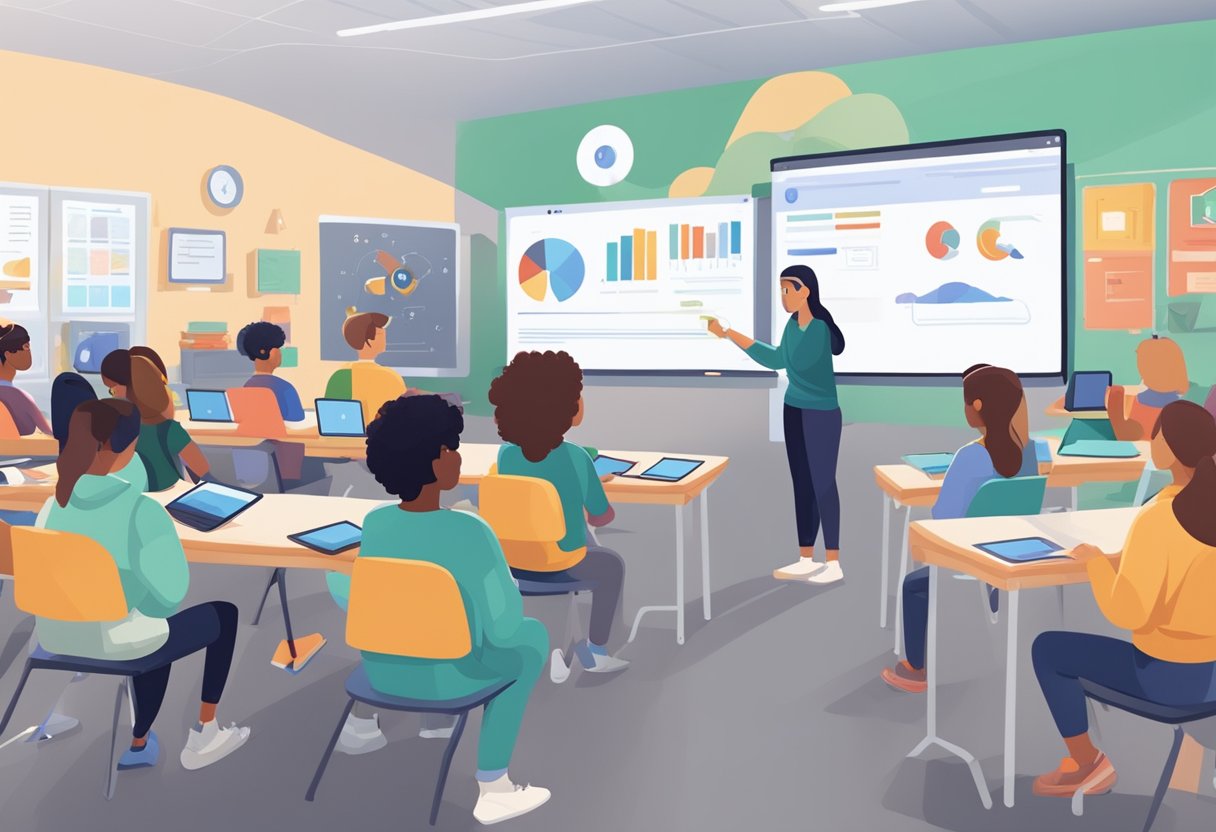
A classroom setting with students using Google AI tools on their devices while the educator demonstrates the essentials on a screen

Google offers AI tools that can transform teaching and learning. These tools help with writing, research, and skill-building. They’re easy to use and free for schools.

Leveraging Gemini and Google Cloud for Learning

Gemini is Google’s powerful AI that can help in the classroom. You can use it to get quick answers or explain tough topics, making learning more accessible with AI guidance. It’s great for brainstorming ideas and checking your work.

Google Cloud has tools for bigger projects. You can use it to analyze data or build your own AI models. This is perfect for science fairs or coding clubs.

To get started:

  1. Go to gemini.google.com
  2. Type in your question or topic
  3. Read the AI’s response and ask follow-up questions

Remember, AI is a helper, not a replacement for your own thinking!

Integrating AI Learning Tools into the Classroom

Google has many AI tools built into apps you already use. In Google Docs, you can ask AI to help with writing or editing. In Google Slides, it can suggest images or layouts.

Here are some ways to use AI in class:

  • Research: Use AI to find sources and summarize info, ensuring you use AI responsibly.
  • Math: Get step-by-step help solving problems
  • Language: Practice conversations with AI
  • Art: Generate images for projects

Start small. Try one AI tool in one lesson. See how it goes, then add more as you get comfy.

AI Skills Development and Learning AI

Learning about AI is just as key as using it. Google offers free courses to teach you the basics. You can learn how AI works and even how to make your own AI projects.

Try these resources:

  • “Applied Digital Skills” course on Google’s website
  • “Introduction to Machine Learning” on Coursera
  • AI experiments on Google Arts & Culture

For hands-on practice, use Scratch or Python to code simple AI programs. This helps you understand how AI “thinks” and makes choices.

The more you learn about AI, the better you can use it in smart, responsible ways.

Practical Applications of AI in Education
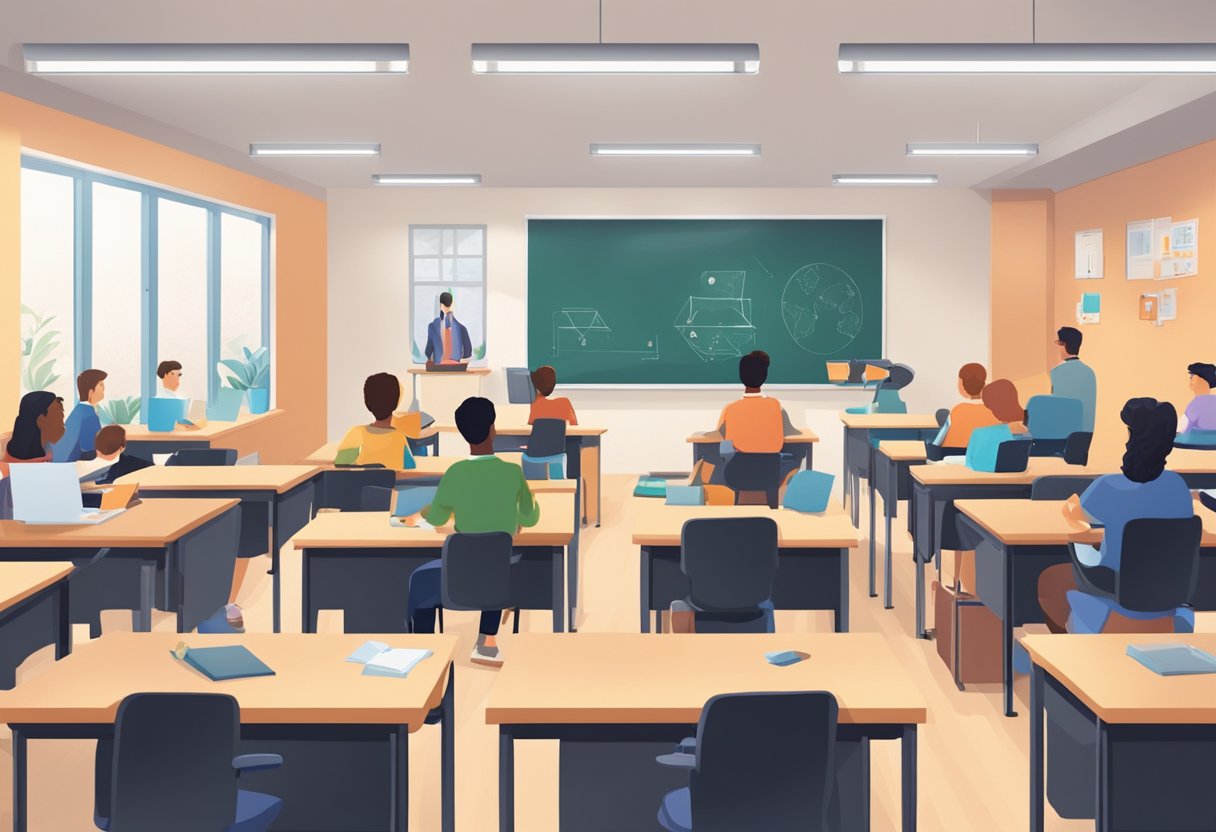
A classroom setting with various AI tools being used by students and teachers to enhance the learning experience

Google AI tools offer exciting ways to enhance teaching and learning. These tools can create content, personalize lessons, and provide useful data insights.

Content Creation with Generative AI Tools

Generative AI helps you make lesson materials quickly. You can use it to write practice questions, create worksheets, or draft lesson plans, incorporating practical AI for instructors.

For example, you might ask an AI tool to generate a list of math word problems for your class. You can also use AI to brainstorm ideas for projects or activities.

AI writing assistants can help you craft emails to parents or write report card comments. This saves you time on administrative tasks. You can even use AI to create simple graphics or edit videos for your lessons.

Remember to review and adjust AI-generated content to fit your needs. The AI is a helper, not a replacement for your expertise.

Personalized Learning and Adaptive Learning Systems

AI-powered systems can adapt to each student’s needs. These tools track how students learn and adjust lessons accordingly.

You might use an adaptive math program that gives easier or harder questions based on a student’s answers.

Some AI systems can spot areas where students struggle. They then suggest extra practice or different ways to explain concepts. This helps you give more targeted support to each student.

AI can also help create personalized study plans. These plans focus on topics where a student needs more work. This targeted approach can boost learning outcomes.

Data Analytics for Educators and Students

AI tools can analyze lots of data about student performance. They turn this data into easy-to-understand reports and charts.

You can use these insights to track progress and spot trends in your class.

For students, AI can provide detailed feedback on their work. It might highlight grammar errors in essays or point out mistakes in math problems. This quick feedback helps students learn faster.

AI can also predict which students might need extra help. It looks at factors like grades, attendance, and engagement. This lets you step in early to support struggling students.

These tools can save you time on grading and data analysis. This frees you up to focus more on teaching and supporting your students.

Maximizing Productivity with AI Tools for Administrative Tasks

A desk with a computer, notebook, and pen. AI tools like Google Classroom and Google Drive open on the screen

AI tools can help teachers save time and effort on administrative work. These tools make lesson planning, grading, and collaboration easier and more efficient.

Streamlining Lesson Planning and Grading

Google Classroom simplifies lesson planning and grading. You can create assignments, quizzes, and rubrics quickly. The platform also allows you to give feedback and track student progress.

Google Forms lets you make custom quizzes and surveys. It can grade multiple-choice questions automatically. This saves you time and gives students fast results.

Google Docs has built-in tools to check spelling and grammar. You can also use add-ons like Kaizena to leave voice comments on student work. This makes grading faster and more personal.

Enhancing Collaboration and Interactive Learning

Google Meet helps you hold virtual classes and office hours. You can share your screen, use a whiteboard, and break students into small groups.

Google Jamboard is a digital whiteboard for brainstorming and group work. Students can add sticky notes, draw, and share ideas in real-time.

Google Sites lets you create class websites easily. You can share resources, post assignments, and showcase student work. This keeps everything organized in one place.

Google Drive makes file sharing and collaboration simple. You and your students can work on documents together at the same time. This is great for group projects and peer editing.

Maintaining Academic Integrity and Enhancing Critical Thinking

Using AI tools in education raises important questions about academic honesty. It’s crucial to use these tools ethically while developing your critical thinking skills.

Plagiarism Detection and Writing Assistance Tools

AI-powered plagiarism checkers can help you avoid accidental copying. These tools compare your work to online sources and highlight any matching text.

Writing assistants like grammar checkers can improve your writing. They catch errors and suggest clearer phrasing. But be careful not to rely on them too much.

Always do your own research and thinking. Use AI tools to support your work, not replace it. Double-check AI suggestions before accepting them.

Encouraging Critical Analysis with AI

AI can boost your critical thinking by providing different viewpoints on a topic. Use it to find opposing arguments and analyze them, utilizing ChatGPT for deeper insights.

Try asking an AI chatbot questions about your subject. Compare its answers to your own knowledge. Look for gaps or conflicts in the information.

Practice evaluating AI-generated content. Is it factual? Biased? Complete? This skill will help you assess all information sources better.

Remember, AI tools are helpers, not substitutes for your own brain. Use them to expand your thinking, not limit it.

Frequently Asked Questions

Google offers various AI tools for education. These tools can enhance teaching and learning in many ways. Let’s explore some common questions about using Google AI in the classroom.

What are the essential Google AI tools for educators?

Google provides several key AI tools for education. These include Google Classroom, Google Workspace for Education, and Gemini.

Google Classroom helps manage assignments and grades. Google Workspace offers tools like Docs, Sheets, and Slides with AI features. Gemini is an AI assistant that can help with tasks and answer questions.

How can beginners effectively learn to use Google AI tools in an educational setting?

Start by exploring Google’s free resources for educators. Try out one tool at a time in your lessons. Practice using AI features in Google Docs or Slides. Watch tutorial videos on YouTube that demonstrate how to use generative AI effectively. Join online teacher communities to share tips and ideas on practical AI for instructors.

Are the educational AI tools offered by Google available for free?

Many Google AI tools for education are free. Google Classroom and basic Google Workspace for Education are available at no cost. Some advanced features may require a paid subscription. Check Google’s website for the most up-to-date information on pricing and availability.

How can Google AI be integrated into teaching and learning processes?

Use AI to create personalized learning plans. Let students use AI writing tools to improve their essays. Try AI-powered translation for language classes. Use AI to generate quiz questions or lesson ideas. Encourage students to use AI for research and fact-checking.

Which online courses are recommended for understanding Google’s AI and its applications in education?

Google offers free courses on their Teacher Center. Coursera has classes on AI in education. EdX provides courses on integrating technology in the classroom. Look for workshops offered by your school district or local education centers.

What are the benefits of incorporating Google AI tools into educational curricula?

AI tools can save teachers time on grading and lesson planning. They can provide instant feedback to students.

AI can help create more engaging and interactive lessons. It can support personalized learning for students with different needs.

AI tools can also help prepare students for future careers that use technology, emphasizing the importance of AI for instructors and students.

Tags: AI in EducationEducational TechnologyTeacher Resources
AI Contributor

AI Contributor

Next Post
A teacher stands at the front of a classroom, gesturing while students sit at desks with laptops, focused on a presentation displayed on a screen.

Tools for Generative Artificial Intelligence in Education in 2025

Leave a Reply Cancel reply

Your email address will not be published. Required fields are marked *

Recommended.

A humanoid robot sits across from a woman at a desk, both engaging with open notebooks, in a modern office setting.

Free AI Teaching Assistants: Transforming Education with Innovative Support Tools

February 11, 2025
A teacher stands at the front of a classroom, gesturing while students sit at desks with laptops, focused on a presentation displayed on a screen.

Tools for Generative Artificial Intelligence in Education in 2025

February 11, 2025

Trending.

A small, smiling robot with antennae sits on a wooden desk near books and a tablet, with green plants in the background.

Best Tool ChatGPT, Claude, or Gemini for Education: A Comprehensive Comparison for Educators in 2025

March 5, 2025
A person presents a robotic design on a screen to an audience in a classroom setting. Attendees sit at desks with laptops and tablets.

AI in Education 2025: The Role of AI Tools in Modern Schools

February 11, 2025
Person sitting at a desk using a computer, smiling, in a sunlit room with posters on the wall and a potted plant nearby.

The Basics of Using ChatGPT: A Beginner’s Guide to AI Communication

March 2, 2025
A classroom scene with a diverse group of attentive students sitting at desks. A teacher stands in front of a blackboard, gesturing with arms open. A red flag hangs on the wall.

AI-Powered Classroom Management Intervention: Harnessing Artificial Intelligence for Improving Student Behavior

February 21, 2025
A digital artwork depicts a humanoid figure with a glowing brain and intricate circuitry, reflecting the essence of artificial intelligence. Connected nodes illustrate the seamless connectivity akin to cutting-edge Google AI Tools.

Google AI Tools for Educators: Transforming Teaching with Generative AI

February 11, 2025
Cleverall AI Logo

Cleverall AI empowers educators and students with practical AI tools, tutorials, and resources to make teaching and learning more personalized, effective, and innovative."

Follow Us

Categories

  • Basics
  • Educators
  • Integration
  • Resources
  • Students
  • Tutorials

Tags

AI Assistants AI for Students AI for Teachers AI in Education AI Music in Education ChatGPT Educational Technology Lesson Planning Myths About AI Teacher Resources Teaching with AI

Recent News

In a futuristic setting, a person interacts with a holographic interface showcasing a humanoid robot, data charts, and a digital identification screen—illustrating the seamless convergence of AI and future careers.

AI and Future Careers: Preparing for the Evolving Job Market of Tomorrow

March 28, 2025
Man in a suit relaxes at his desk, smiling at a computer screen displaying a virtual assistant and email icons.

How to Use AI for Email Management: Reclaim 5 Hours of Your Week with Smart Automation

March 17, 2025
  • About
  • Privacy & Policy

© 2025 Cleverall AI.

No Result
View All Result
  • Home
  • Tutorials
  • Integration
  • Basics
  • Resources
  • Educators
  • Students

© 2025 Cleverall AI.