• About
  • Privacy & Policy
Cleverall AI, Provides tutorials and resources for educators to harness AI in teaching and learning.
  • Home
  • Tutorials
    Man in a suit relaxes at his desk, smiling at a computer screen displaying a virtual assistant and email icons.

    How to Use AI for Email Management: Reclaim 5 Hours of Your Week with Smart Automation

    Diagram illustrating a 6-step guide for educators using ChatGPT for student assessment: setting objectives, choosing questions, analyzing results, providing feedback, adjusting instruction, and ethical practice.

    ChatGPT for Student Assessment: A Step-by-Step Guide for Educators

    A woman in business attire observes a humanoid robot sorting through a stack of papers in an office setting.

    How Can AI Be Used for Grading Student Papers: A Comprehensive Guide to Automated Assessment

    A robotic arm places books on a conveyor belt in a modern, well-lit room.

    How to Automate Classroom Tasks with AI Tools: A Practical Guide for Teachers

    Person typing on a laptop at a black table with a cup of coffee, a notebook, and a pen, in front of bookshelves.

    Using Grammarly to Improve Student Writing: Enhancing Academic Performance

    Vintage Schaub-Lorenz radio with a red and silver design, featuring buttons and a transparent cover, set in a worn room with peeling paint.

    How to Use AI in Music Education: Exploring Suno, ChatGPT for Lyrics, and More

  • Integration
    A group of people sitting around a table, engaging in a meeting. Laptops and documents are on the table, and a screen displays information in the background.

    The Future of Curriculum Planning: AI-Assisted Content Creation – Transforming Education Through Smart Technology

    An illustration of a brain with "AI" in the center, surrounded by icons of gears, a light bulb, and a microchip, with circuit lines in the background.

    How Can AI Be Used for Critical Thinking: Tools and Strategies for Enhanced Decision Making

    A person is giving a presentation to a group of students in a classroom. Two digital screens display graphics in the background. Students are seated at a table with laptops.

    How to Use AI Responsibly in the Classroom: Best Practices for Educators

    Students sit at desks using tablets in a classroom while a teacher stands near a whiteboard in the background.

    AI Tools for Education: Revolutionizing Teaching and Learning Practices

    A person presents a robotic design on a screen to an audience in a classroom setting. Attendees sit at desks with laptops and tablets.

    AI in Education 2025: The Role of AI Tools in Modern Schools

  • Basics
    A small, smiling robot with antennae sits on a wooden desk near books and a tablet, with green plants in the background.

    Best Tool ChatGPT, Claude, or Gemini for Education: A Comprehensive Comparison for Educators in 2025

    Person sitting at a desk using a computer, smiling, in a sunlit room with posters on the wall and a potted plant nearby.

    The Basics of Using ChatGPT: A Beginner’s Guide to AI Communication

    An abstract image depicting a microchip at the center; left side with glowing nodes and fibers, right side with circuit lines and blue dots.

    What Is One Challenge in Ensuring Fairness in Generative AI: Addressing Dataset Bias and Representation

    Students sitting at desks taking notes, while a teacher stands beside a large screen displaying a robot. Classroom setting with a focus on technology.

    AI in Education Basics: A Practical Guide for Modern Classrooms

    Students on computers learning possibly using AI

    AI in Education Pros and Cons: Evaluating the Impact of Technology on Learning

    A robot and a teacher interact in a classroom, with students observing. A futuristic digital display is projected onto a screen in the background.

    Top 5 Myths About AI in Education Debunked

    A man in a suit presents to a group of people seated with laptops in a classroom. A digital display with graphs and icons is projected on the wall. Sunlight streams through large windows.

    How Can AI-Powered Educational Tools Help Teachers Save Time on Administrative Tasks?

  • Educators
    A teacher and student smile while looking at a tablet displaying an AI rubric generator in a classroom setting, with other students engaged in learning activities in the background.

    Free AI Rubric Generator: Best Practices for Creating Custom Rubrics That Transform Learning

    In a sunlit classroom, a student studies a holographic display where mathematical equations intertwine with artificial intelligence concepts. This scene exemplifies personalized math learning with AI, as sunlight streams through the window, illuminating the innovative approach.

    AI Tools for Math Teachers

    A classroom scene with a diverse group of attentive students sitting at desks. A teacher stands in front of a blackboard, gesturing with arms open. A red flag hangs on the wall.

    AI-Powered Classroom Management Intervention: Harnessing Artificial Intelligence for Improving Student Behavior

    Students seated at desks using computers in a classroom, with three people standing in front of the room.

    AI Integration in Education: Transforming Learning Environments

  • Students
    In a futuristic setting, a person interacts with a holographic interface showcasing a humanoid robot, data charts, and a digital identification screen—illustrating the seamless convergence of AI and future careers.

    AI and Future Careers: Preparing for the Evolving Job Market of Tomorrow

    A humanoid robot with a digital face interacts with a seated person in a room with shelves and books.

    The New Tutor: Google AI Studio Revolutionizes Personalized Learning in 2025

    A boy sits at a desk, using a tablet. Various digital graphs and charts are projected around him. Books and stationery are on the desk, and a plant is in the background.

    AI for Students with ADHD: Transforming Learning Through Digital Support Tools

    Office space with a sign reading "What is NotebookLM" above plants and desks, with sticky notes on a distant whiteboard.

    Introducing NotebookLM: The Best AI Notebook Tool for Students in 2025

  • Resources
    A person in a denim jacket works at a desk, writing in a notebook and looking at a computer screen.

    Perplexity AI for Education

    A teacher stands at the front of a classroom, gesturing while students sit at desks with laptops, focused on a presentation displayed on a screen.

    Tools for Generative Artificial Intelligence in Education in 2025

    A digital artwork depicts a humanoid figure with a glowing brain and intricate circuitry, reflecting the essence of artificial intelligence. Connected nodes illustrate the seamless connectivity akin to cutting-edge Google AI Tools.

    Google AI Tools for Educators: Transforming Teaching with Generative AI

    A paper bag with a logo and "Chatgpt" sits on a wooden table in a classroom.

    Top Features of ChatGPT Every Educator Should Know: Enhancing Teaching and Learning

No Result
View All Result
  • Home
  • Tutorials
    Man in a suit relaxes at his desk, smiling at a computer screen displaying a virtual assistant and email icons.

    How to Use AI for Email Management: Reclaim 5 Hours of Your Week with Smart Automation

    Diagram illustrating a 6-step guide for educators using ChatGPT for student assessment: setting objectives, choosing questions, analyzing results, providing feedback, adjusting instruction, and ethical practice.

    ChatGPT for Student Assessment: A Step-by-Step Guide for Educators

    A woman in business attire observes a humanoid robot sorting through a stack of papers in an office setting.

    How Can AI Be Used for Grading Student Papers: A Comprehensive Guide to Automated Assessment

    A robotic arm places books on a conveyor belt in a modern, well-lit room.

    How to Automate Classroom Tasks with AI Tools: A Practical Guide for Teachers

    Person typing on a laptop at a black table with a cup of coffee, a notebook, and a pen, in front of bookshelves.

    Using Grammarly to Improve Student Writing: Enhancing Academic Performance

    Vintage Schaub-Lorenz radio with a red and silver design, featuring buttons and a transparent cover, set in a worn room with peeling paint.

    How to Use AI in Music Education: Exploring Suno, ChatGPT for Lyrics, and More

  • Integration
    A group of people sitting around a table, engaging in a meeting. Laptops and documents are on the table, and a screen displays information in the background.

    The Future of Curriculum Planning: AI-Assisted Content Creation – Transforming Education Through Smart Technology

    An illustration of a brain with "AI" in the center, surrounded by icons of gears, a light bulb, and a microchip, with circuit lines in the background.

    How Can AI Be Used for Critical Thinking: Tools and Strategies for Enhanced Decision Making

    A person is giving a presentation to a group of students in a classroom. Two digital screens display graphics in the background. Students are seated at a table with laptops.

    How to Use AI Responsibly in the Classroom: Best Practices for Educators

    Students sit at desks using tablets in a classroom while a teacher stands near a whiteboard in the background.

    AI Tools for Education: Revolutionizing Teaching and Learning Practices

    A person presents a robotic design on a screen to an audience in a classroom setting. Attendees sit at desks with laptops and tablets.

    AI in Education 2025: The Role of AI Tools in Modern Schools

  • Basics
    A small, smiling robot with antennae sits on a wooden desk near books and a tablet, with green plants in the background.

    Best Tool ChatGPT, Claude, or Gemini for Education: A Comprehensive Comparison for Educators in 2025

    Person sitting at a desk using a computer, smiling, in a sunlit room with posters on the wall and a potted plant nearby.

    The Basics of Using ChatGPT: A Beginner’s Guide to AI Communication

    An abstract image depicting a microchip at the center; left side with glowing nodes and fibers, right side with circuit lines and blue dots.

    What Is One Challenge in Ensuring Fairness in Generative AI: Addressing Dataset Bias and Representation

    Students sitting at desks taking notes, while a teacher stands beside a large screen displaying a robot. Classroom setting with a focus on technology.

    AI in Education Basics: A Practical Guide for Modern Classrooms

    Students on computers learning possibly using AI

    AI in Education Pros and Cons: Evaluating the Impact of Technology on Learning

    A robot and a teacher interact in a classroom, with students observing. A futuristic digital display is projected onto a screen in the background.

    Top 5 Myths About AI in Education Debunked

    A man in a suit presents to a group of people seated with laptops in a classroom. A digital display with graphs and icons is projected on the wall. Sunlight streams through large windows.

    How Can AI-Powered Educational Tools Help Teachers Save Time on Administrative Tasks?

  • Educators
    A teacher and student smile while looking at a tablet displaying an AI rubric generator in a classroom setting, with other students engaged in learning activities in the background.

    Free AI Rubric Generator: Best Practices for Creating Custom Rubrics That Transform Learning

    In a sunlit classroom, a student studies a holographic display where mathematical equations intertwine with artificial intelligence concepts. This scene exemplifies personalized math learning with AI, as sunlight streams through the window, illuminating the innovative approach.

    AI Tools for Math Teachers

    A classroom scene with a diverse group of attentive students sitting at desks. A teacher stands in front of a blackboard, gesturing with arms open. A red flag hangs on the wall.

    AI-Powered Classroom Management Intervention: Harnessing Artificial Intelligence for Improving Student Behavior

    Students seated at desks using computers in a classroom, with three people standing in front of the room.

    AI Integration in Education: Transforming Learning Environments

  • Students
    In a futuristic setting, a person interacts with a holographic interface showcasing a humanoid robot, data charts, and a digital identification screen—illustrating the seamless convergence of AI and future careers.

    AI and Future Careers: Preparing for the Evolving Job Market of Tomorrow

    A humanoid robot with a digital face interacts with a seated person in a room with shelves and books.

    The New Tutor: Google AI Studio Revolutionizes Personalized Learning in 2025

    A boy sits at a desk, using a tablet. Various digital graphs and charts are projected around him. Books and stationery are on the desk, and a plant is in the background.

    AI for Students with ADHD: Transforming Learning Through Digital Support Tools

    Office space with a sign reading "What is NotebookLM" above plants and desks, with sticky notes on a distant whiteboard.

    Introducing NotebookLM: The Best AI Notebook Tool for Students in 2025

  • Resources
    A person in a denim jacket works at a desk, writing in a notebook and looking at a computer screen.

    Perplexity AI for Education

    A teacher stands at the front of a classroom, gesturing while students sit at desks with laptops, focused on a presentation displayed on a screen.

    Tools for Generative Artificial Intelligence in Education in 2025

    A digital artwork depicts a humanoid figure with a glowing brain and intricate circuitry, reflecting the essence of artificial intelligence. Connected nodes illustrate the seamless connectivity akin to cutting-edge Google AI Tools.

    Google AI Tools for Educators: Transforming Teaching with Generative AI

    A paper bag with a logo and "Chatgpt" sits on a wooden table in a classroom.

    Top Features of ChatGPT Every Educator Should Know: Enhancing Teaching and Learning

No Result
View All Result
Cleverall AI
No Result
View All Result

How Can AI Be Used for Grading Student Papers: A Comprehensive Guide to Automated Assessment

February 21, 2025
Home Tutorials
Share on FacebookShare on Twitter

Teachers across the globe are exploring new ways to handle their grading workload efficiently. AI grading tools have emerged as a promising solution, offering ways to automate parts of the assessment process while maintaining educational standards.

An AI algorithm analyzes and grades digital assignments, displaying accuracy and efficiency in assessment

AI can be used for grading through specialized software that evaluates multiple-choice questions, essays, and even complex mathematical problems, with 13% of teachers already using it for low-stakes assignments. These tools work best when combined with human oversight to ensure accuracy and fairness in assessment.

Teachers can use AI grading systems to create and save rubrics, grade assignments submitted through platforms like Google Classroom, and provide quick feedback to students. This technology helps educators spend less time on repetitive grading tasks and more time on personalized instruction.

Key Takeaways

  • AI grading tools can evaluate various assignment types while maintaining educational standards
  • Teachers can save time by automating routine grading tasks through AI assistance
  • Current AI grading systems work best with clear rubrics and human oversight

Overview of AI in Grading

AI-powered grading systems now handle many types of student assessments with improved speed and accuracy compared to traditional methods. These tools analyze student work through advanced algorithms while maintaining consistent evaluation standards.

Evolution of Grading Systems

Traditional manual grading required teachers to spend countless hours reviewing assignments and providing feedback. The shift began with simple computer-based scoring of multiple-choice tests in the late 20th century.

Modern AI grading technologies can now evaluate complex assignments including essays, math problems, and programming code. These systems learn from human-graded examples to understand proper assessment criteria.

The integration of AI has made immediate feedback possible. Students receive detailed comments on their work within minutes instead of days or weeks.

Advantages of AI Grading

AI grading systems process assignments much faster than manual methods, allowing teachers to focus on personalized instruction and student support.

Key Benefits:

  • Consistent evaluation criteria across all submissions
  • Immediate feedback for students
  • Reduced grading time for educators
  • Standardized scoring methods
  • Detection of plagiarism and academic dishonesty

AI tools can grade thousands of assignments while maintaining the same level of attention to detail from start to finish. This eliminates human fatigue and potential bias in the grading process.

Teachers can combine AI-generated feedback with their own insights to provide comprehensive assessment while maintaining the human element in education.

Key Technologies in AI Grading

AI grading tools use advanced algorithms and data analysis methods to evaluate student work with speed and accuracy. These systems process text, identify patterns, and make assessment decisions based on preset criteria.

Machine Learning Applications

Machine learning algorithms learn from large sets of graded assignments to spot patterns and improve accuracy over time. The AI analyzes key features like sentence structure, word choice, and content organization.

These systems use supervised learning to grade new assignments based on examples of previously scored work. Teachers input sample grades and feedback, which trains the AI to match human scoring patterns.

Automated grading systems can process multiple choice tests, math problems, and written responses. They grade assignments much faster than humans while maintaining consistent standards.

Natural Language Processing in Grading

NLP technology lets AI understand and evaluate written text like essays and short answers. The system breaks down text into smaller parts to check:

  • Grammar and spelling
  • Topic relevance
  • Argument structure
  • Evidence support
  • Writing clarity

Modern NLP can identify writing style, tone, and complexity level. It compares student work against rubric requirements and provides detailed feedback on specific areas for improvement.

AI grading technology maintains fairness by applying the same rules to every submission. The systems flag potential issues for teacher review when needed.

Implementing AI Grading Tools

An AI analyzing and grading a stack of papers with a pencil and ruler nearby

AI grading tools boost assessment efficiency through seamless platform integration and customizable evaluation criteria. Teachers can maintain control while automating repetitive grading tasks.

Integration with Educational Platforms

The first step is selecting an AI grading system that works with existing learning management systems. Most modern tools connect directly to popular platforms like Moodle, Canvas, and Blackboard.

Teachers should test the integration with a small batch of assignments before full implementation. This helps identify any technical issues early.

The setup process typically involves:

  • Connecting the AI tool to the school’s LMS
  • Importing class rosters and assignments
  • Setting up user permissions
  • Running test assignments through the system

Developing Custom Rubrics

AI grading systems need clear assessment criteria to evaluate work effectively. Teachers must create detailed rubrics that break down scoring components.

Good rubrics include specific point values and clear descriptions for each scoring level. This helps the AI tool make consistent grading decisions.

Key elements to include in rubrics:

  • Measurable learning objectives
  • Point distribution across different criteria
  • Clear performance level descriptions
  • Examples of work at each scoring level

The AI system learns from these rubrics to provide standardized evaluations across all student submissions.

Benefits of AI-Assisted Evaluation

A computer screen displaying an AI program analyzing and grading student assignments

AI grading tools have transformed how teachers assess student work by making the process faster and more reliable. These systems provide detailed feedback while maintaining high standards of accuracy.

Providing Personalized Feedback

AI-powered grading systems analyze student responses and generate specific comments tailored to each submission. This helps students understand their mistakes and improve their learning.

The feedback includes targeted suggestions for improvement and explanations of correct answers. Students receive this guidance immediately after submitting their work.

Teachers can customize the feedback parameters to match their teaching style and course objectives. The AI assistant can identify common error patterns across the class, helping instructors adjust their teaching methods.

Achieving Accuracy in Grading

AI grading algorithms evaluate work based on clear, predefined criteria. This ensures every submission receives the same objective treatment.

The systems can process thousands of assignments with consistent accuracy. They eliminate human fatigue and bias that might affect manual grading.

Studies show these tools can reduce grading time by up to 80% while maintaining high accuracy standards. This gives teachers more time to focus on classroom instruction and student support.

AI grading systems track performance metrics over time, creating detailed progress reports for both individual students and entire classes.

Challenges and Ethical Considerations

An AI algorithm analyzing and grading student assignments with a digital interface, displaying scores and feedback

AI grading systems face important concerns around fairness, bias, and student privacy that need careful attention from educators and administrators.

Addressing Concerns of Fairness

AI grading systems can perpetuate biases when used for standardized tests and assignments across different student populations. These systems may unfairly evaluate students who use unique writing styles or creative approaches.

Automated grading tools sometimes struggle to recognize valid alternative solutions, especially in subjects like mathematics and creative writing. This limitation can disadvantage students who solve problems differently than the AI was trained to expect.

Regular testing and validation of AI grading accuracy is essential. Schools must compare AI grades against human teacher evaluations to ensure the systems maintain high standards of reliability.

Ensuring Data Privacy

Educational institutions need clear guidelines for protecting student data when using AI grading systems. This includes securing personal information, assignment submissions, and grade histories.

Key privacy measures include:

  • Encrypted storage of student data
  • Limited access to grading systems
  • Clear policies on data retention
  • Transparency about how student information is used

Teachers and administrators must ensure AI grading platforms comply with educational privacy laws and regulations. Regular audits help identify and address potential security vulnerabilities in these systems.

Frequently Asked Questions
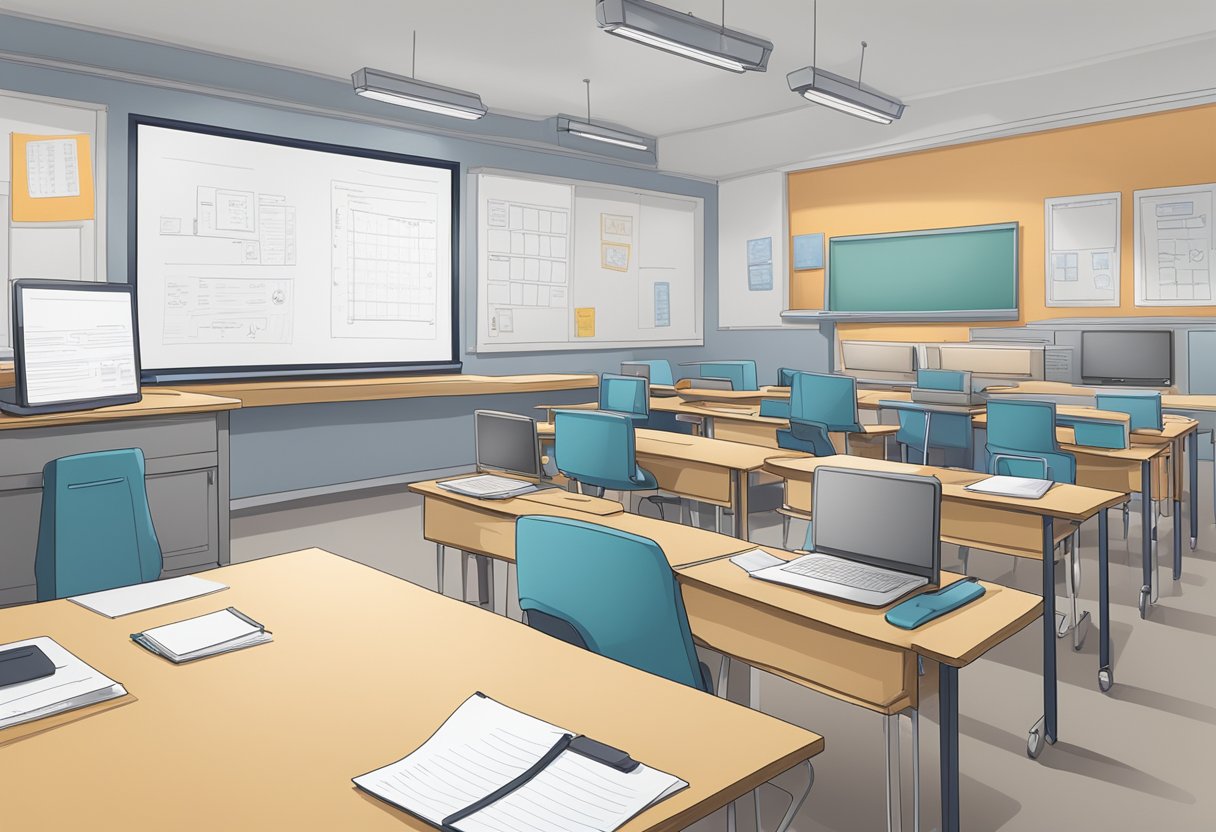
A classroom with AI technology grading papers on a desk

AI grading tools offer powerful ways to assess student work while maintaining fairness and consistency. Teachers and institutions must balance efficiency gains with ethical considerations and proper implementation strategies.

What are the benefits and limitations of AI-based grading systems for educational institutions?

AI grading systems process work much faster than manual grading, letting teachers spend more time on instruction and student support.

AI tools can grade large numbers of assignments consistently without fatigue. This helps schools handle increased workloads efficiently.

The technology still has limits with complex writing tasks and creative work that requires deeper human understanding. Teachers should review AI grades for unusual cases.

How does AI grading accommodate different grading rubrics and criteria?

Modern AI grading platforms use computation-driven engines to interpret responses based on customized rubrics and standards.

Teachers can input specific grading criteria and scoring guidelines into the system. The AI analyzes student work against these preset standards.

Regular calibration ensures the AI stays aligned with department expectations and grading policies.

In what ways can teachers integrate AI grading tools into their assessment processes?

AI tools enhance grading by helping teachers provide detailed feedback quickly. The systems can identify common errors and suggest improvements.

Teachers can use AI for initial grading passes while maintaining final oversight. This hybrid approach combines AI efficiency with human judgment.

What are the current best practices for training AI to grade essays accurately and fairly?

AI systems need diverse training samples representing different writing styles and quality levels. Regular updates with new examples improve accuracy.

Clear rubrics and scoring guidelines help train the AI to recognize key elements consistently. Human experts should validate the training process.

How does automated grading ensure consistency and objectivity compared to traditional grading methods?

AI applies the same criteria uniformly across all submissions without being influenced by fatigue or bias. Each assignment receives equal attention.

Standardized grading approaches reduce potential bias and ensure fair treatment of all students.

What are the ethical considerations when implementing AI grading systems in schools?

Schools must protect student privacy and secure assessment data when using AI grading platforms. Clear policies should govern AI use.

Students deserve transparency about when AI evaluates their work. Teachers should maintain oversight and the ability to review or override AI decisions.

Student accommodations and special circumstances require careful consideration in AI grading implementation.

Tags: AI in EducationTeacher Resources
AI Contributor

AI Contributor

Next Post
Diagram illustrating a 6-step guide for educators using ChatGPT for student assessment: setting objectives, choosing questions, analyzing results, providing feedback, adjusting instruction, and ethical practice.

ChatGPT for Student Assessment: A Step-by-Step Guide for Educators

Leave a Reply Cancel reply

Your email address will not be published. Required fields are marked *

Recommended.

Students seated at desks using computers in a classroom, with three people standing in front of the room.

AI Integration in Education: Transforming Learning Environments

February 13, 2025
A group of people sitting around a table, engaging in a meeting. Laptops and documents are on the table, and a screen displays information in the background.

The Future of Curriculum Planning: AI-Assisted Content Creation – Transforming Education Through Smart Technology

February 22, 2025

Trending.

A small, smiling robot with antennae sits on a wooden desk near books and a tablet, with green plants in the background.

Best Tool ChatGPT, Claude, or Gemini for Education: A Comprehensive Comparison for Educators in 2025

March 5, 2025
A classroom scene with a diverse group of attentive students sitting at desks. A teacher stands in front of a blackboard, gesturing with arms open. A red flag hangs on the wall.

AI-Powered Classroom Management Intervention: Harnessing Artificial Intelligence for Improving Student Behavior

February 21, 2025
An abstract image depicting a microchip at the center; left side with glowing nodes and fibers, right side with circuit lines and blue dots.

What Is One Challenge in Ensuring Fairness in Generative AI: Addressing Dataset Bias and Representation

February 21, 2025
A boy sits at a desk, using a tablet. Various digital graphs and charts are projected around him. Books and stationery are on the desk, and a plant is in the background.

AI for Students with ADHD: Transforming Learning Through Digital Support Tools

February 14, 2025
Office space with a sign reading "What is NotebookLM" above plants and desks, with sticky notes on a distant whiteboard.

Introducing NotebookLM: The Best AI Notebook Tool for Students in 2025

February 13, 2025
Cleverall AI Logo

Cleverall AI empowers educators and students with practical AI tools, tutorials, and resources to make teaching and learning more personalized, effective, and innovative."

Follow Us

Categories

  • Basics
  • Educators
  • Integration
  • Resources
  • Students
  • Tutorials

Tags

AI Assistants AI for Students AI for Teachers AI in Education AI Music in Education ChatGPT Educational Technology Lesson Planning Myths About AI Teacher Resources Teaching with AI

Recent News

In a futuristic setting, a person interacts with a holographic interface showcasing a humanoid robot, data charts, and a digital identification screen—illustrating the seamless convergence of AI and future careers.

AI and Future Careers: Preparing for the Evolving Job Market of Tomorrow

March 28, 2025
Man in a suit relaxes at his desk, smiling at a computer screen displaying a virtual assistant and email icons.

How to Use AI for Email Management: Reclaim 5 Hours of Your Week with Smart Automation

March 17, 2025
  • About
  • Privacy & Policy

© 2025 Cleverall AI.

No Result
View All Result
  • Home
  • Tutorials
  • Integration
  • Basics
  • Resources
  • Educators
  • Students

© 2025 Cleverall AI.