• About
  • Privacy & Policy
Cleverall AI, Provides tutorials and resources for educators to harness AI in teaching and learning.
  • Home
  • Tutorials
    Man in a suit relaxes at his desk, smiling at a computer screen displaying a virtual assistant and email icons.

    How to Use AI for Email Management: Reclaim 5 Hours of Your Week with Smart Automation

    Diagram illustrating a 6-step guide for educators using ChatGPT for student assessment: setting objectives, choosing questions, analyzing results, providing feedback, adjusting instruction, and ethical practice.

    ChatGPT for Student Assessment: A Step-by-Step Guide for Educators

    A woman in business attire observes a humanoid robot sorting through a stack of papers in an office setting.

    How Can AI Be Used for Grading Student Papers: A Comprehensive Guide to Automated Assessment

    A robotic arm places books on a conveyor belt in a modern, well-lit room.

    How to Automate Classroom Tasks with AI Tools: A Practical Guide for Teachers

    Person typing on a laptop at a black table with a cup of coffee, a notebook, and a pen, in front of bookshelves.

    Using Grammarly to Improve Student Writing: Enhancing Academic Performance

    Vintage Schaub-Lorenz radio with a red and silver design, featuring buttons and a transparent cover, set in a worn room with peeling paint.

    How to Use AI in Music Education: Exploring Suno, ChatGPT for Lyrics, and More

  • Integration
    A group of people sitting around a table, engaging in a meeting. Laptops and documents are on the table, and a screen displays information in the background.

    The Future of Curriculum Planning: AI-Assisted Content Creation – Transforming Education Through Smart Technology

    An illustration of a brain with "AI" in the center, surrounded by icons of gears, a light bulb, and a microchip, with circuit lines in the background.

    How Can AI Be Used for Critical Thinking: Tools and Strategies for Enhanced Decision Making

    A person is giving a presentation to a group of students in a classroom. Two digital screens display graphics in the background. Students are seated at a table with laptops.

    How to Use AI Responsibly in the Classroom: Best Practices for Educators

    Students sit at desks using tablets in a classroom while a teacher stands near a whiteboard in the background.

    AI Tools for Education: Revolutionizing Teaching and Learning Practices

    A person presents a robotic design on a screen to an audience in a classroom setting. Attendees sit at desks with laptops and tablets.

    AI in Education 2025: The Role of AI Tools in Modern Schools

  • Basics
    A small, smiling robot with antennae sits on a wooden desk near books and a tablet, with green plants in the background.

    Best Tool ChatGPT, Claude, or Gemini for Education: A Comprehensive Comparison for Educators in 2025

    Person sitting at a desk using a computer, smiling, in a sunlit room with posters on the wall and a potted plant nearby.

    The Basics of Using ChatGPT: A Beginner’s Guide to AI Communication

    An abstract image depicting a microchip at the center; left side with glowing nodes and fibers, right side with circuit lines and blue dots.

    What Is One Challenge in Ensuring Fairness in Generative AI: Addressing Dataset Bias and Representation

    Students sitting at desks taking notes, while a teacher stands beside a large screen displaying a robot. Classroom setting with a focus on technology.

    AI in Education Basics: A Practical Guide for Modern Classrooms

    Students on computers learning possibly using AI

    AI in Education Pros and Cons: Evaluating the Impact of Technology on Learning

    A robot and a teacher interact in a classroom, with students observing. A futuristic digital display is projected onto a screen in the background.

    Top 5 Myths About AI in Education Debunked

    A man in a suit presents to a group of people seated with laptops in a classroom. A digital display with graphs and icons is projected on the wall. Sunlight streams through large windows.

    How Can AI-Powered Educational Tools Help Teachers Save Time on Administrative Tasks?

  • Educators
    A teacher and student smile while looking at a tablet displaying an AI rubric generator in a classroom setting, with other students engaged in learning activities in the background.

    Free AI Rubric Generator: Best Practices for Creating Custom Rubrics That Transform Learning

    In a sunlit classroom, a student studies a holographic display where mathematical equations intertwine with artificial intelligence concepts. This scene exemplifies personalized math learning with AI, as sunlight streams through the window, illuminating the innovative approach.

    AI Tools for Math Teachers

    A classroom scene with a diverse group of attentive students sitting at desks. A teacher stands in front of a blackboard, gesturing with arms open. A red flag hangs on the wall.

    AI-Powered Classroom Management Intervention: Harnessing Artificial Intelligence for Improving Student Behavior

    Students seated at desks using computers in a classroom, with three people standing in front of the room.

    AI Integration in Education: Transforming Learning Environments

  • Students
    In a futuristic setting, a person interacts with a holographic interface showcasing a humanoid robot, data charts, and a digital identification screen—illustrating the seamless convergence of AI and future careers.

    AI and Future Careers: Preparing for the Evolving Job Market of Tomorrow

    A humanoid robot with a digital face interacts with a seated person in a room with shelves and books.

    The New Tutor: Google AI Studio Revolutionizes Personalized Learning in 2025

    A boy sits at a desk, using a tablet. Various digital graphs and charts are projected around him. Books and stationery are on the desk, and a plant is in the background.

    AI for Students with ADHD: Transforming Learning Through Digital Support Tools

    Office space with a sign reading "What is NotebookLM" above plants and desks, with sticky notes on a distant whiteboard.

    Introducing NotebookLM: The Best AI Notebook Tool for Students in 2025

  • Resources
    A person in a denim jacket works at a desk, writing in a notebook and looking at a computer screen.

    Perplexity AI for Education

    A teacher stands at the front of a classroom, gesturing while students sit at desks with laptops, focused on a presentation displayed on a screen.

    Tools for Generative Artificial Intelligence in Education in 2025

    A digital artwork depicts a humanoid figure with a glowing brain and intricate circuitry, reflecting the essence of artificial intelligence. Connected nodes illustrate the seamless connectivity akin to cutting-edge Google AI Tools.

    Google AI Tools for Educators: Transforming Teaching with Generative AI

    A paper bag with a logo and "Chatgpt" sits on a wooden table in a classroom.

    Top Features of ChatGPT Every Educator Should Know: Enhancing Teaching and Learning

No Result
View All Result
  • Home
  • Tutorials
    Man in a suit relaxes at his desk, smiling at a computer screen displaying a virtual assistant and email icons.

    How to Use AI for Email Management: Reclaim 5 Hours of Your Week with Smart Automation

    Diagram illustrating a 6-step guide for educators using ChatGPT for student assessment: setting objectives, choosing questions, analyzing results, providing feedback, adjusting instruction, and ethical practice.

    ChatGPT for Student Assessment: A Step-by-Step Guide for Educators

    A woman in business attire observes a humanoid robot sorting through a stack of papers in an office setting.

    How Can AI Be Used for Grading Student Papers: A Comprehensive Guide to Automated Assessment

    A robotic arm places books on a conveyor belt in a modern, well-lit room.

    How to Automate Classroom Tasks with AI Tools: A Practical Guide for Teachers

    Person typing on a laptop at a black table with a cup of coffee, a notebook, and a pen, in front of bookshelves.

    Using Grammarly to Improve Student Writing: Enhancing Academic Performance

    Vintage Schaub-Lorenz radio with a red and silver design, featuring buttons and a transparent cover, set in a worn room with peeling paint.

    How to Use AI in Music Education: Exploring Suno, ChatGPT for Lyrics, and More

  • Integration
    A group of people sitting around a table, engaging in a meeting. Laptops and documents are on the table, and a screen displays information in the background.

    The Future of Curriculum Planning: AI-Assisted Content Creation – Transforming Education Through Smart Technology

    An illustration of a brain with "AI" in the center, surrounded by icons of gears, a light bulb, and a microchip, with circuit lines in the background.

    How Can AI Be Used for Critical Thinking: Tools and Strategies for Enhanced Decision Making

    A person is giving a presentation to a group of students in a classroom. Two digital screens display graphics in the background. Students are seated at a table with laptops.

    How to Use AI Responsibly in the Classroom: Best Practices for Educators

    Students sit at desks using tablets in a classroom while a teacher stands near a whiteboard in the background.

    AI Tools for Education: Revolutionizing Teaching and Learning Practices

    A person presents a robotic design on a screen to an audience in a classroom setting. Attendees sit at desks with laptops and tablets.

    AI in Education 2025: The Role of AI Tools in Modern Schools

  • Basics
    A small, smiling robot with antennae sits on a wooden desk near books and a tablet, with green plants in the background.

    Best Tool ChatGPT, Claude, or Gemini for Education: A Comprehensive Comparison for Educators in 2025

    Person sitting at a desk using a computer, smiling, in a sunlit room with posters on the wall and a potted plant nearby.

    The Basics of Using ChatGPT: A Beginner’s Guide to AI Communication

    An abstract image depicting a microchip at the center; left side with glowing nodes and fibers, right side with circuit lines and blue dots.

    What Is One Challenge in Ensuring Fairness in Generative AI: Addressing Dataset Bias and Representation

    Students sitting at desks taking notes, while a teacher stands beside a large screen displaying a robot. Classroom setting with a focus on technology.

    AI in Education Basics: A Practical Guide for Modern Classrooms

    Students on computers learning possibly using AI

    AI in Education Pros and Cons: Evaluating the Impact of Technology on Learning

    A robot and a teacher interact in a classroom, with students observing. A futuristic digital display is projected onto a screen in the background.

    Top 5 Myths About AI in Education Debunked

    A man in a suit presents to a group of people seated with laptops in a classroom. A digital display with graphs and icons is projected on the wall. Sunlight streams through large windows.

    How Can AI-Powered Educational Tools Help Teachers Save Time on Administrative Tasks?

  • Educators
    A teacher and student smile while looking at a tablet displaying an AI rubric generator in a classroom setting, with other students engaged in learning activities in the background.

    Free AI Rubric Generator: Best Practices for Creating Custom Rubrics That Transform Learning

    In a sunlit classroom, a student studies a holographic display where mathematical equations intertwine with artificial intelligence concepts. This scene exemplifies personalized math learning with AI, as sunlight streams through the window, illuminating the innovative approach.

    AI Tools for Math Teachers

    A classroom scene with a diverse group of attentive students sitting at desks. A teacher stands in front of a blackboard, gesturing with arms open. A red flag hangs on the wall.

    AI-Powered Classroom Management Intervention: Harnessing Artificial Intelligence for Improving Student Behavior

    Students seated at desks using computers in a classroom, with three people standing in front of the room.

    AI Integration in Education: Transforming Learning Environments

  • Students
    In a futuristic setting, a person interacts with a holographic interface showcasing a humanoid robot, data charts, and a digital identification screen—illustrating the seamless convergence of AI and future careers.

    AI and Future Careers: Preparing for the Evolving Job Market of Tomorrow

    A humanoid robot with a digital face interacts with a seated person in a room with shelves and books.

    The New Tutor: Google AI Studio Revolutionizes Personalized Learning in 2025

    A boy sits at a desk, using a tablet. Various digital graphs and charts are projected around him. Books and stationery are on the desk, and a plant is in the background.

    AI for Students with ADHD: Transforming Learning Through Digital Support Tools

    Office space with a sign reading "What is NotebookLM" above plants and desks, with sticky notes on a distant whiteboard.

    Introducing NotebookLM: The Best AI Notebook Tool for Students in 2025

  • Resources
    A person in a denim jacket works at a desk, writing in a notebook and looking at a computer screen.

    Perplexity AI for Education

    A teacher stands at the front of a classroom, gesturing while students sit at desks with laptops, focused on a presentation displayed on a screen.

    Tools for Generative Artificial Intelligence in Education in 2025

    A digital artwork depicts a humanoid figure with a glowing brain and intricate circuitry, reflecting the essence of artificial intelligence. Connected nodes illustrate the seamless connectivity akin to cutting-edge Google AI Tools.

    Google AI Tools for Educators: Transforming Teaching with Generative AI

    A paper bag with a logo and "Chatgpt" sits on a wooden table in a classroom.

    Top Features of ChatGPT Every Educator Should Know: Enhancing Teaching and Learning

No Result
View All Result
Cleverall AI
No Result
View All Result

The New Tutor: Google AI Studio Revolutionizes Personalized Learning in 2025

February 26, 2025
Home Students
Share on FacebookShare on Twitter

Google AI Studio is changing how we learn online. This innovative platform offers real-time AI assistance through multiple formats, including text, voice, video, and screen sharing. Google AI Studio leverages powerful AI models like Gemini to create a personalized learning experience that adapts to individual needs and provides comprehensive support across various subjects.

A futuristic studio with sleek, modern design and advanced technology

Built on Google’s advanced Gemini 1.5 Pro model, the AI tutor known as LearnLM has been specifically designed with teaching in mind. It’s trained on learning science best practices to deliver effective education. Arizona State University students have already experienced this technology, with Google fine-tuning the system based on their feedback.

The platform eliminates traditional learning barriers by providing instant explanations, examples, and suggestions for further reading. Whether you’re studying for exams, need homework help, or simply want to explore new topics, Google AI Studio serves as a comprehensive learning companion available whenever you need it.

Key Takeaways

  • Google AI Studio provides personalized learning through AI-powered assistance across multiple formats, including text, voice, and video.
  • The platform uses Gemini models specifically trained on educational best practices to deliver effective teaching experiences.
  • AI tutoring offers immediate feedback, comprehensive explanations, and learning resources that adapt to individual student needs.

Understanding Google AI Studio

Google AI Studio is a web-based platform that allows developers and non-technical users to experiment with Google’s Gemini AI models. It provides a user-friendly interface for creating AI applications without requiring deep technical expertise.

The Core Concepts of Google AI Studio

Google AI Studio works as an entry point to Google’s advanced AI capabilities. It’s designed to be intuitive, allowing users to start building AI solutions quickly without extensive coding knowledge.

The platform centers around the Gemini family of multimodal models, which can process text, images, and videos. This flexibility enables developers to create diverse applications from chatbots to content generators.

AI Studio offers different interaction modes. Users can test simple prompts through the interface or build more complex applications using the API.

The platform includes features for prompt engineering, allowing users to refine AI outputs for specific needs. It also supports fine-tuning capabilities, which help customize models for specialized tasks or industries.

How Google AI Studio Implements AI Models

Google AI Studio leverages the Gemini family of generative AI models to power its functionality. These models handle various data types, including text, images, and video content.

The platform implements AI through a simple workflow: users input prompts, the system processes them through the selected model, and then returns generated outputs. These can be conversational responses, creative content, or structured data.

For more advanced implementations, Google AI Studio connects to Vertex AI on Google Cloud. This integration provides enterprise-level features for professional applications.

The models can be customized through fine-tuning options. This process adapts pre-trained models to specific use cases by training them on additional specialized data.

AI Studio also supports structured outputs, making it easier to integrate AI responses into existing systems through standardized formats.

Google AI Studio’s Learning Environment

Google AI Studio creates a dynamic learning space where users interact with AI in real-time. The platform offers tools for text, voice, and visual learning while providing personalized support based on learning science principles.

Navigating the User Interface

Google AI Studio features a clean, user-friendly interface designed for both beginners and advanced users. The main dashboard provides quick access to different AI models like Gemini Pro for text generation and Gemini Flash for image-based tasks.

Users can easily switch between different learning modes based on their needs. The platform organizes tools and features in logical categories, making it simple to find specific functions.

Key Interface Elements:

  • Model selection panel
  • Input/output windows
  • Real-time feedback area
  • Resource library
  • Project management tools

The interface supports multiple learning styles through various interaction methods including text prompts, voice commands, and screen sharing capabilities.

Utilizing Google Gemini for Enhanced Learning

Google’s Gemini 1.5 Pro powers the core learning experience in AI Studio. This model specializes in educational applications, having been trained on learning science best practices.

The system provides personalized guidance by analyzing user interactions and adjusting responses accordingly. When users share their screen, Gemini can offer contextual help for the specific software or content they’re working with.

Learning Benefits:

  • Real-time answers to specific questions
  • Feedback tailored to individual learning pace
  • Multi-modal support (text, voice, visual)
  • Dynamic rather than passive learning experiences

Arizona State University students have tested the platform, with their feedback helping refine the system. Instructors can monitor progress and provide additional guidance when needed, creating a comprehensive learning environment that combines AI assistance with human expertise.

Interactive Elements in Google AI Studio

A futuristic, sleek interface with colorful interactive elements and advanced AI features in Google AI Studio

Google AI Studio offers powerful interactive elements that enhance the learning experience. These features allow for real-time collaboration and customization, making it easier for users to receive guidance and create personalized interactions.

Incorporating Screen Sharing for Real-Time Guidance

Screen sharing in Google AI Studio transforms the tutoring experience by allowing students to display their work directly. This feature enables tutors to see exactly what students are working on and provide immediate feedback.

Users can activate screen sharing through the interface’s collaboration panel. The tool supports annotation capabilities, letting tutors highlight specific areas that need attention. This visual guidance helps students understand concepts more clearly.

Screen sharing also facilitates problem-solving sessions where tutors can demonstrate solutions step-by-step. Students receive real-time corrections and suggestions as they work through problems.

The feature includes recording options, allowing students to revisit tutoring sessions later for review. These recordings serve as valuable study materials.

Integrating With Gemini API for Custom Interactions

The Gemini API integration in Google AI Studio allows developers to create tailored learning experiences. This powerful tool supports custom interactions based on specific educational needs.

Developers can use the API to build specialized tutoring modules that respond to particular subject matter. The integration supports multiple formats including text, images, and code snippets, making it versatile for various learning scenarios.

Pre-built templates in the system instruction feature help users quickly set up test prep tutors. These templates can be customized to target specific learning principles or subject areas.

The API enables dynamic content generation that adapts to student responses. This capability creates personalized learning paths based on individual progress and understanding.

Integration is straightforward through AI Studio’s interface, with documentation providing clear implementation examples. This accessibility makes custom tutoring solutions available to educators with varying technical expertise.

Advanced Features and Assessment Tools
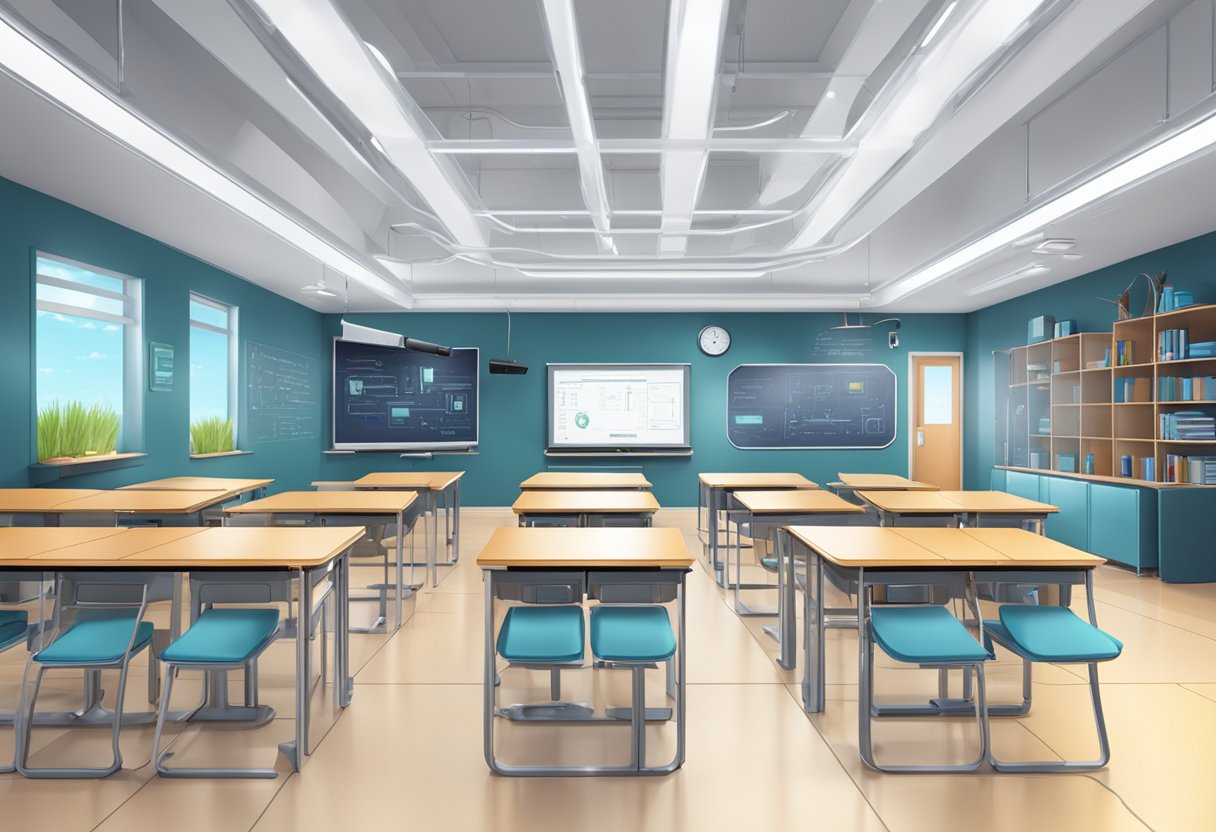
A futuristic classroom with advanced technology and assessment tools

Google AI Studio offers powerful capabilities that transform traditional tutoring approaches. These tools leverage cutting-edge AI models to provide personalized learning experiences while offering innovative assessment techniques that give meaningful feedback.

Exploiting Advanced AI Models for Tutoring

Google’s LearnLM represents a significant advancement in AI tutoring capabilities. This specialized model is trained on learning science principles and outperforms other AI systems in educational contexts. When teaching complex topics, LearnLM breaks content into manageable chunks and asks guiding questions instead of simply providing answers.

The system adapts to each learner’s ability level, creating truly personalized experiences. With a massive 2-million token context window, the AI can maintain longer conversations and better understand student needs.

Users can access multimodal learning through text, voice, video, and screen-sharing options. This flexibility allows students to interact with the AI in ways that match their learning preferences.

Effective Assessment Strategies Using AI

AI-powered assessment in Google AI Studio moves beyond traditional testing methods. The platform enables continuous evaluation throughout the learning process rather than just at the end of lessons.

Teachers can use AI to create personalized feedback that identifies specific knowledge gaps. This targeted approach helps students focus on areas needing improvement while building confidence in mastered concepts.

The assessment tools can generate practice questions at varying difficulty levels. This adaptive testing adjusts based on student performance, ensuring learners are appropriately challenged.

Google’s tools also support formative assessment techniques. The AI can prompt students with reflective questions that help them think about their learning process and develop metacognitive skills.

Teachers can use these assessment insights to modify their instructional approaches, creating a responsive teaching environment that meets diverse student needs.

Optimizing Learning with Feedback and Analytics

A futuristic classroom with AI tutor, students, and screens showing real-time feedback and analytics

Google AI Studio improves education through smart feedback systems. The platform’s analytics tools help teachers understand how students learn and where they struggle.

Gemini Analytics, part of Google’s AI education suite, processes student work to provide timely feedback. This system analyzes patterns in student responses, helping teachers identify learning gaps quickly.

The LearnLM model, built on Gemini 1.5 Pro, demonstrates this approach in action. It was tested with Arizona State University students and refined based on their reactions and instructor feedback.

Key benefits of AI-powered feedback:

  • Real-time assessment of student understanding
  • Personalized learning paths based on performance data
  • Reduced grading time for teachers
  • Detailed insights that basic assessment tools like Excel spreadsheets cannot provide

The analytics tools track progress over time, showing improvements in specific skills. Teachers can use this data to adjust their teaching methods for better results.

For students, AI feedback creates an active learning environment. The system asks questions matched to their goals and helps bridge the gap between current knowledge and learning objectives.

These tools support a continuous improvement cycle in education. As students interact with the AI, the system becomes more effective at identifying learning patterns and providing targeted support.

Frequently Asked Questions

A modern, sleek studio with a large computer monitor, keyboard, and mouse. A stack of papers and a pen sit on the desk. Bright, natural light floods the room

Google’s AI-based tutoring systems have sparked interest among educators and learners. These common questions address access, features, and practical applications of Google’s educational AI tools.

How can I access the LearnLM AI platform by Google?

LearnLM is currently available through Google AI Studio. Users can access it through a browser-based interface without needing to download special software.

Google AI Studio offers a free tier for beginners and those wanting to experiment with AI tutoring capabilities. For more advanced enterprise features, it connects to Vertex AI on Google Cloud.

New users can take advantage of a 90-day trial period with $150 credit before moving to the pay-as-you-go pricing model.

What are the features and capabilities of Google’s AI-based tutor?

LearnLM breaks complex topics into manageable chunks for easier learning. This chunking approach helps students absorb information more effectively.

The system asks guiding questions instead of simply providing answers. This encourages critical thinking and deeper engagement with the material.

LearnLM adapts to each learner’s ability level, providing personalized educational experiences. It offers support through multiple formats including text, voice, video, and screen sharing.

Are there any educational resources or papers available for understanding LearnLM?

Google has published a technical report on LearnLM that outlines its development and capabilities. This document explains how the system was trained on learning science principles.

Educational experts can access blog posts from Google that detail how LearnLM approaches teaching complex topics. These resources provide insights into the pedagogical foundations of the system.

Google AI Studio also offers comprehensive guides and hands-on labs for those wanting to understand the platform better.

What steps should be taken to effectively use LearnLM for educational purposes?

Start by defining clear learning objectives before engaging with LearnLM. This helps focus the tutoring session on specific educational goals.

Encourage interactive learning by responding to the guiding questions that LearnLM poses. This creates a more dynamic learning experience rather than passive consumption of information.

Consider using LearnLM as a supplement to traditional teaching methods rather than a replacement. The AI tutor works best when integrated into a broader educational strategy.

How does Google’s AI-based tutoring system compare to others like ChatGPT?

According to Google’s technical report, education experts preferred LearnLM over GPT-4o by more than 31%. The system also scored higher than Claude 3.5 by 11% and outperformed other AI tutors by 13%.

LearnLM’s specific training on learning science principles distinguishes it from general-purpose AI systems. This specialized training makes it more effective for educational applications.

The focus on guiding questions rather than direct answers sets LearnLM apart from many other AI systems that prioritize providing immediate information.

Has Google released a platform akin to Bard AI, and how does it relate to LearnLM?

Google AI Studio serves as Google’s platform for accessing various AI capabilities, including tutoring functions. It provides a similar entry point as the Bard AI interface did previously.

LearnLM represents a specialized educational tool within Google’s broader AI ecosystem. While Bard was a more general conversational AI, LearnLM focuses specifically on educational applications.

The relationship between these tools showcases Google’s strategy of developing specialized AI systems for different use cases rather than relying on a single general-purpose AI.

Tags: AI for StudentsAI in EducationEducational Technology
AI Contributor

AI Contributor

Next Post
Person sitting at a desk using a computer, smiling, in a sunlit room with posters on the wall and a potted plant nearby.

The Basics of Using ChatGPT: A Beginner's Guide to AI Communication

Comments 1

  1. Pingback: AI And Future Careers: Preparing For Tomorrow's Job Market

Leave a Reply Cancel reply

Your email address will not be published. Required fields are marked *

Recommended.

A boy sits at a desk, using a tablet. Various digital graphs and charts are projected around him. Books and stationery are on the desk, and a plant is in the background.

AI for Students with ADHD: Transforming Learning Through Digital Support Tools

February 14, 2025
A small, smiling robot with antennae sits on a wooden desk near books and a tablet, with green plants in the background.

Best Tool ChatGPT, Claude, or Gemini for Education: A Comprehensive Comparison for Educators in 2025

March 5, 2025

Trending.

A person presents a robotic design on a screen to an audience in a classroom setting. Attendees sit at desks with laptops and tablets.

AI in Education 2025: The Role of AI Tools in Modern Schools

February 11, 2025
Person sitting at a desk using a computer, smiling, in a sunlit room with posters on the wall and a potted plant nearby.

The Basics of Using ChatGPT: A Beginner’s Guide to AI Communication

March 2, 2025
A classroom scene with a diverse group of attentive students sitting at desks. A teacher stands in front of a blackboard, gesturing with arms open. A red flag hangs on the wall.

AI-Powered Classroom Management Intervention: Harnessing Artificial Intelligence for Improving Student Behavior

February 21, 2025
A digital artwork depicts a humanoid figure with a glowing brain and intricate circuitry, reflecting the essence of artificial intelligence. Connected nodes illustrate the seamless connectivity akin to cutting-edge Google AI Tools.

Google AI Tools for Educators: Transforming Teaching with Generative AI

February 11, 2025
A man in a suit presents to a group of people seated with laptops in a classroom. A digital display with graphs and icons is projected on the wall. Sunlight streams through large windows.

How Can AI-Powered Educational Tools Help Teachers Save Time on Administrative Tasks?

February 11, 2025
Cleverall AI Logo

Cleverall AI empowers educators and students with practical AI tools, tutorials, and resources to make teaching and learning more personalized, effective, and innovative."

Follow Us

Categories

  • Basics
  • Educators
  • Integration
  • Resources
  • Students
  • Tutorials

Tags

AI Assistants AI for Students AI for Teachers AI in Education AI Music in Education ChatGPT Educational Technology Lesson Planning Myths About AI Teacher Resources Teaching with AI

Recent News

In a futuristic setting, a person interacts with a holographic interface showcasing a humanoid robot, data charts, and a digital identification screen—illustrating the seamless convergence of AI and future careers.

AI and Future Careers: Preparing for the Evolving Job Market of Tomorrow

March 28, 2025
Man in a suit relaxes at his desk, smiling at a computer screen displaying a virtual assistant and email icons.

How to Use AI for Email Management: Reclaim 5 Hours of Your Week with Smart Automation

March 17, 2025
  • About
  • Privacy & Policy

© 2025 Cleverall AI.

No Result
View All Result
  • Home
  • Tutorials
  • Integration
  • Basics
  • Resources
  • Educators
  • Students

© 2025 Cleverall AI.